Preloader
  • Follow Us On :
Request Demo Class Join Free Seminar
img
Course includes:
  • img Level Advanced
  • img Hours 48
  • img Total Class 24
  • img Certifications Yes
Share this course:

Cisco CCNP Security SCORE

  • 12 Jan 2026
  • ___ Students

COURSE OVERVIEW

The Cisco CCNP Security SCORE is the core requirement for CCNP Security and a qualifying exam for CCIE Security. It validates your ability to implement and operate advanced Cisco security solutions, covering areas such as network security, cloud security, content security, endpoint protection, secure access, and threat visibility.
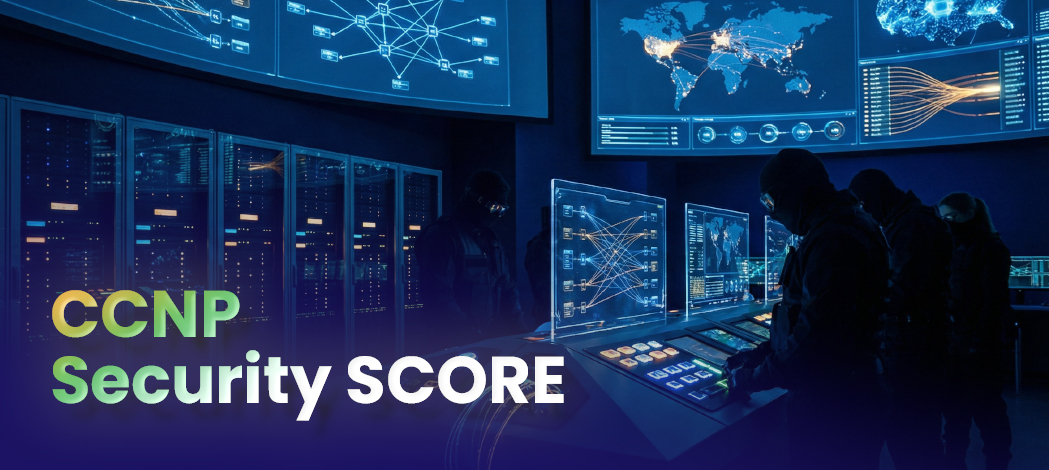

By passing SCORE, you prove your expertise in building and managing end-to-end security architectures with Cisco technologies, making you a trusted professional capable of protecting modern enterprise networks against evolving cyber threats.

Course Curriculum

Anyone with a passion for network security and a desire to deepen their expertise

  • IT Professionals aiming for career growth in cybersecurity
  • Cybersecurity Enthusiasts
  • IT Managers and Consultants
  • Cisco Networking Professionals
  • Technical Assistance Center (TAC) Engineers
  • Network Engineers
  • System Administrators
  • Network Security Support Engineers
  • Security Technicians
  • Network Security Engineers

  • Networking fundamentals (equivalent to CCNA level)
  • 3-5 years of experience in enterprise networking and security
  • IP addressing and routing basics
  • Core security concepts (firewalls, VPN, IPS, AAA)
  • Familiarity with Cisco security products (ASA, Firepower, ISE, AMP, Umbrella)
  • Understanding of cloud security and endpoint protection principles

CCNP Security-certified professionals can build their careers in:

  • IT Security & Consulting Firms
  • Data Centers & Cloud Service Providers
  • Government & Public Sector ICT Projects
  • Corporate IT Departments (MNCs & Enterprises)
  • Banks & Financial Institutions
  • Internet Service Providers (ISPs)
  • Telecom Operators

SKILLS AND KNOWLEDGE COVERED IN CCNP SECURITY TRAINING

  • Configure managed devices via Cisco Secure Firewall Device Manager
  • Learn firewall troubleshooting fundamentals
  • Manage Cisco Secure Firewall Threat Defense system
  • Perform detailed analysis using Firewall Management Center
  • Configure Cisco Secure IPS
  • Implement file control and advanced malware protection
  • Set up security intelligence
  • Configure prefilter and access control policies
  • Configure network discovery
  • Configure network address translation
  • Configure high availability
  • Perform initial setup of Cisco Firepower Threat Defense (FTD) device
  • Implement and verify clientless VPN on ASA
  • Implement and verify advanced AAA on Cisco AnyConnect VPN
  • Implement and verify AnyConnect TLS VPN on ASA
  • Troubleshoot Cisco IOS FlexVPN
  • Implement and verify spoke-to-spoke FlexVPN
  • Implement and verify hub-and-spoke FlexVPN
  • Implement and verify point-to-point FlexVPN
  • Implement and verify FlexVPN with smart defaults
  • Troubleshoot DMVPN configurations
  • Implement and verify Dynamic Multipoint VPN (DMVPN)
  • Implement and verify Cisco IOS Virtual Tunnel Interface (VTI) VPN
  • Implement and verify Cisco ASA point-to-point VPN
  • Implement and verify Cisco IOS point-to-point VPN
  • Explore IPsec technologies
  • Perform centralized Cisco AsyncOS software upgrades using Cisco SMA
  • Access reporting services and web tracking
  • Validate intermediate certificates
  • Utilize third-party security feeds and Microsoft Office 365 external feed
  • Set up referrer header exceptions
  • Configure advanced malware protection
  • Create and enforce time- and date-based acceptable use policies
  • Enable HTTPS inspection
  • Configure proxy authentication
  • Deploy proxy services
  • Configure Cisco Web Security Appliance
  • Configure Cisco Security Management Appliance (SMA) for tracking and reporting
  • Detect forged emails
  • Configure Sender Policy Framework (SPF)
  • Configure DomainKeys Identified Mail (DKIM)
  • Integrate Cisco ESA with LDAP and enable LDAP Accept Query
  • Set up outbound data loss prevention
  • Configure attachment scanning policies
  • Apply content and outbreak filters
  • Implement antivirus protection to prevent threats
  • Integrate Cisco ESA with AMP console
  • Leverage AMP Cloud Intelligence for enhanced threat detection
  • Manage unscannable messages intelligently
  • Protect against malicious URLs embedded in attachments
  • Protect against malicious or undesirable URLs hidden in shortened URLs
  • Detect advanced malware in attachments, including macro detection
  • Perform basic administration on Cisco ESA
  • Verify and test Cisco ESA configuration
  • Set up Cisco TrustSec
  • Configure Cisco ISE command authorization
  • Manage basic Cisco ISE device administration
  • Monitor and test compliance-based access
  • Configure posture assessment policies
  • Set up client provisioning
  • Configure Cisco ISE compliance services
  • Manage lost or stolen BYOD devices
  • Configure Bring Your Own Device (BYOD) policies
  • Create Cisco ISE profiling reports
  • Customize profiling configurations
  • Configure device profiling in Cisco ISE
  • Generate guest access reports
  • Set up sponsor-approved and fully sponsored guest access
  • Configure hotspot and self-registered guest access
  • Set up guest access policies
  • Configure Cisco ISE policy for 802.1X authentication
  • Configure Cisco ISE policy for MAC Authentication Bypass (MAB)
  • Integrate Cisco ISE with Active Directory
  • Perform initial Cisco ISE setup and system certificate management
  • Configure alert settings, watchlists, and sensors in Stealthwatch Cloud
  • Explore Cisco Stealthwatch Cloud
  • Explore Cisco Cloudlock application and data security
  • Explore Cisco Cloudlock dashboard and user security
  • Use Cognitive Threat Analytics (CTA) in Stealthwatch Enterprise v7.0
  • Explore Cisco Stealthwatch Enterprise v6.9.3
  • Use Cisco AMP for file ransomware protection
  • Conduct endpoint analysis using AMP for Endpoints console
  • Explore Cisco AMP for Endpoints
  • Configure remote access VPN on Cisco Firepower NGFW
  • Set up point-to-point VPN between Cisco ASA and Cisco Firepower NGFW
  • Configure static Virtual Tunnel Interface (VTI) point-to-point IPsec IKEv2 tunnels
  • Implement DNS ransomware protection with Cisco Umbrella
  • Explore Cisco Umbrella Investigate
  • Review the Cisco Umbrella dashboard
  • Enforce acceptable use policies and malware protection
  • Set up proxy services, authentication, and HTTPS decryption
  • Configure mail policies
  • Configure Listener, Host Access Table (HAT), and Recipient Access Table (RAT) on Cisco Email Security Appliance (ESA)
  • Set up malware and file policies on Cisco NGFW
  • Configure discovery and IPS policies on Cisco Firepower NGFW
  • Establish access control policies on Cisco Firepower NGFW
  • Configure NAT on Cisco Firepower Next-Generation Firewall (NGFW)
  • Set up access control policies on Cisco ASA
  • Configure network settings and NAT on Cisco ASA

Completing CCNP Security certification prepares you for mid to senior-level cybersecurity and networking roles, including:

  • Security Infrastructure Specialist
  • Technical Assistance Center (TAC) Engineer
  • IT Security Administrator
  • Systems Security Engineer
  • Network Security Consultant
  • VPN & Remote Access Specialist
  • Firewall Administrator (Cisco ASA / Firepower)
  • Cybersecurity Analyst
  • Security Operations Center (SOC) Engineer
  • Network Security Engineer

  • Configure basic and advanced NAT on Cisco ASA
  • Implement Access Control Policies on Cisco ASA and test with different traffic scenarios
  • Configure and verify static/dynamic NAT on Cisco Firepower NGFW
  • Implement Access Control and IPS Policies on Cisco Firepower NGFW
  • Deploy Malware and File Policies on Cisco Firepower NGFW
  • Configure Listener, HAT, and RAT on Cisco Email Security Appliance (ESA)
  • Create and test inbound and outbound mail policies on Cisco ESA
  • Configure Proxy Services, Authentication, and HTTPS Decryption on Cisco Web Security Appliance (WSA)
  • Implement Acceptable Use Policies with Web Filtering and Malware Protection
  • Navigate Cisco Umbrella Dashboard and enforce DNS security policies
  • Use Cisco Umbrella Investigate to analyze malicious domains and IPs
  • Configure DNS-based ransomware protection with Cisco Umbrella
  • Deploy and verify Static VTI Point-to-Point IPsec IKEv2 Tunnels
  • Establish and verify Site-to-Site VPN between Cisco ASA and Firepower NGFW
  • Configure and test Remote Access VPN on Cisco Firepower NGFW using AnyConnect
  • Install Cisco AMP for Endpoints and analyze endpoint threats in console
  • Configure and test File Ransomware Protection with Cisco AMP
  • Explore Cisco Stealthwatch Enterprise v6.9.3 dashboard and detect anomalies
  • Use Cognitive Threat Analytics (CTA) to analyze suspicious behavior in Stealthwatch v7.0
  • Explore Cisco Cloudlock Dashboard for user security monitoring
  • Configure application and data protection policies in Cisco Cloudlock
  • Set up alert settings, watchlists, and sensors in Cisco Stealthwatch Cloud
  • Perform Cisco ISE initial setup and add system certificates
  • Integrate Cisco ISE with Microsoft Active Directory
  • Configure Cisco ISE Policy for MAC Authentication Bypass (MAB) and test device login
  • Configure 802.1X Authentication in Cisco ISE with wired and wireless endpoints
  • Deploy Guest Access Policies and validate different guest access methods (Hotspot, Self-registration, Sponsor-approved)
  • Generate Guest Access Reports from Cisco ISE
  • Configure Device Profiling and validate profiling results in Cisco ISE
  • Customize and test Profiling Configurations with various endpoints
  • Deploy Cisco BYOD policies and test onboarding process
  • Manage lost or stolen BYOD devices in Cisco ISE
  • Configure and test Cisco ISE Posture Assessment Policies with compliant/non-compliant devices
  • Deploy TrustSec and test Security Group Tagging (SGT) enforcement
  • Perform basic ESA Administration and validate email flow
  • Test advanced malware detection in attachments with macros and hidden URLs
  • Configure Content Filters and Outbreak Filters on Cisco ESA
  • Integrate ESA with Cisco AMP Console and test malicious file detection
  • Configure and verify DKIM, SPF, and Anti-spoofing email protections
  • Configure Cisco Security Management Appliance (SMA) for centralized reporting and upgrades
  • Deploy Web Proxy Services on Cisco WSA and test Authentication Policies
  • Configure HTTPS Inspection and validate encrypted traffic scanning
  • Implement Advanced Malware Protection on Cisco WSA
  • Configure and test Office 365 External Feeds integration
  • Perform Cisco AsyncOS Software Upgrade via SMA
  • Implement and verify IOS Point-to-Point VPN, ASA VPN, and IOS VTI VPN
  • Configure and Troubleshoot DMVPN (Phase 1, Phase 2, Phase 3)
  • Implement FlexVPN (Point-to-Point, Hub-and-Spoke, Spoke-to-Spoke) and troubleshoot
  • Deploy and test AnyConnect TLS VPN on ASA with advanced AAA policies
  • Configure Clientless SSL VPN on ASA and validate portal access
  • Perform Initial Setup of Cisco Firepower Threat Defense (FTD) Device
  • Configure Firepower High Availability and failover testing
  • Implement Access Control, Prefilter, and Security Intelligence Policies on Firepower
  • Deploy File Control and Malware Protection on Firepower
  • Configure Cisco Secure IPS and analyze threats in FMC
  • Perform Firewall Troubleshooting using FMC and FDM Tools
  • Manage Firepower Threat Defense devices via FDM

  • Exam Code: 350-701 SCOR
  • Exam Name: Implementing and Operating Cisco Security Core Technologies
  • Duration: 120 Minutes
  • Question Format: Multiple Choice, Drag-and-Drop, Simulations
  • Languages Available: English, Japanese
  • Testing Options: In-Person at Pearson VUE Centers or Online with OnVUE
  • Exam Fee: $400 USD + local taxes
  • Passing Score: Cisco does not publicly disclose the exact passing score
  • Recommended Experience: 3-5 years of experience in security solutions or completion of CCNP Security training
  • Certificate Validity: 3 Years from the date of passing
img

Mark Jukarberg

UX Design Lead

(4.8 Ratings)

Dorem ipsum dolor sit amet, consectetur adipiscing elit, sed do eiusmod tempor incididunt ut labore et dolore magna aliqua Quis ipsum suspendisse ultrices gravida. Risus commodo viverra maecenas accumsan.

Reviews

4.8
12 Ratings
5
2
4
1
3
0
2
0
1
0
img
Jura Hujaor 2 Days ago

The best LMS Design System

Maximus ligula eleifend id nisl quis interdum. Sed malesuada tortor non turpis semper bibendum nisi porta, malesuada risus nonerviverra dolor. Vestibulum ante ipsum primis in faucibus.