Preloader
  • Follow Us On :
Request Demo Class Join Free Seminar
img
Course includes:
  • img Level Entry
  • img Hours 16
  • img Total Class 8
  • img Certifications No
Share this course:

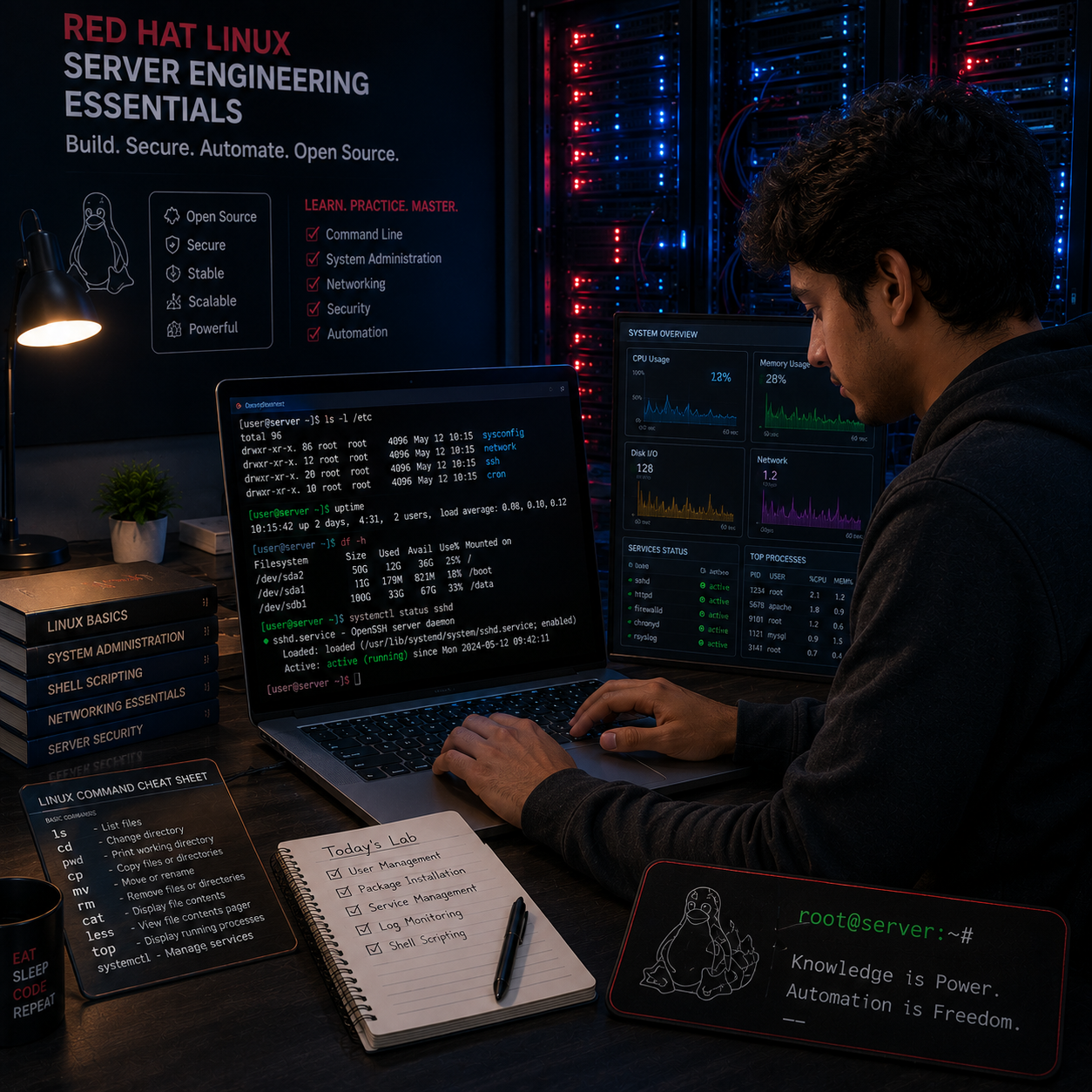
Redhat Linux Server Engineering Essentials

  • 12 Jan 2026
  • ___ Students

COURSE OVERVIEW

The Linux System Essentials course provides a comprehensive introduction to Linux operating systems and administration. Starting with the history and fundamentals of UNIX and Linux, the course guides learners through various Linux distributions, installation methods, and environment setups. It covers both graphical and command-line interfaces, file and user management, as well as system configuration and troubleshooting skills essential for real-world Linux system administration. This course prepares learners to confidently use, manage, and support Linux systems in various IT roles.
Course Curriculum

  • Beginners aiming to learn Linux OS fundamentals
  • IT professionals expanding knowledge to Linux environments
  • Students preparing for Linux certifications or career paths
  • System administrators transitioning to Linux

  • Basic computer skills
  • No prior Linux experience required

  • Junior Linux Administrator 
  • Linux Support Engineer 
  • IT Support Technician (Linux focus)
  • System Administrator (Entry-Level) 
  • Cloud/Linux Operations Assistant 
  • DevOps Support Engineer (Junior) 
  • Server Operations Technician 
  • Network/Linux Technician 
  • Helpdesk Technician (Linux environments) 
  • Linux Desktop Support Engineer 
  • Infrastructure Support Assistant 
  • Security Operations Support (Linux systems) 
  • Field Linux Technician 
  • Junior Cloud Infrastructure Engineer 
  • Linux Systems Trainee / Intern

  • Managing User Passwords
  • Managing Local Group Accounts
  • Managing Local User Accounts
  • Running commands as root with SUDO
  • Gaining Superuser Access
  • Primary Groups and Supplementary Groups
  • Linux User Types and Database
  • Users and Groups Introduction
  • User and Group Administration
  • Working with 'vim' advanced features
  • Editing, Replacing, Searching with 'vi/vim'
  • Working with different 'vi/vim' Modes
  • Working with 'vi/vim' editor
  • Working with 'nano' editor
  • Introducing to vim, gedit, nano editors
  • Different types of Linux based text editors
  • Why need text editor
  • Linux Text Editors (vi/vim/nano)
  • Documentation for Commands
  • Familiar with Linux 'find' commands
  • Constructing and Using Pipelines
  • Working with Regular Expressions 'grep'
  • Working with tail, head, cat, less, wc
  • Redirecting Output to a File using 'echo'
  • Different types of Linux Text Processing tools
  • Why Need Linux Text Processing Tools
  • Linux Text Processing Tools
  • Files & Directory handling commands
  • Command-line File & Directory Management
  • Navigating Linux Directory Paths
  • Explore Linux File System
  • Linux Directory Structure Introduction
  • Working with Files & Directories
  • Powering Off, Reboot and Logout System
  • Commonly use Linux commands
  • Linux Command Syntax, Options, Argument
  • Logging remote Linux system using SSH
  • Switching between GUI and Command Console
  • Linux Virtual Console/Terminal concepts
  • Working with Linux terminal, shells and Kernel
  • Introduction to Linux Command Line Interface (CLI)
  • Getting started with Linux CLI
  • Familiar with Linux Graphical tools and features
  • Familiar with Kali Linux Desktop Environment
  • Familiar with Ubuntu Desktop Environment
  • Familiar with RHEL Desktop Environment
  • Switching Linux Desktop Environment
  • Introducing about GNOME Desktop Environment
  • Different types of Desktop Environment
  • The GNOME Desktop Environment
  • Linux Desktop Environment
  • Login Kali Linux (root & local user)
  • Configure Post installation for Kali Linux
  • Choose Kali Linux desktop environment
  • Partition requirements for Kali Linux Installation
  • Preparing for the Kali Linux Installation
  • System Requirements for Kali Installation
  • Choose Kali Version (VM, Live, Bare Metal)
  • Install Kali Linux Operating System
  • Login Ubuntu system (root & local user)
  • Configure Post installation for Ubuntu
  • Install Ubuntu using manual partitioning
  • Ubuntu Installation Method (BIOS and EFI)
  • Partition requirements for Ubuntu Installation
  • Required Hardware Resources for Ubuntu Installation
  • Choose Ubuntu Version (Desktop or Server Edition)
  • Install Ubuntu Operating System
  • Install RHEL EC2 instance of AWS cloud
  • Configure Post installation for RHEL/CentOS/Rocky
  • MBR and GPT based partitioning
  • Details discussion about Installation Summary
  • Details discussion about OS booting options
  • Start RHEL Installation on VMware Workstation
  • Configure BIOS/UEFI options for OS booting
  • Required Partitions for RHEL Installation
  • Required Hardware Resources for RHEL
  • Choose RHEL Version (RHEL, CentOS, Rocky Linux)
  • Install RHEL/CentOS/Rocky Linux
  • Create Droplet (VPS) on Digital Ocean Cloud
  • Create EC2 Instance (VPS) on AWS cloud
  • Working with AWS & Digital Ocean cloud provider
  • Cloud Computing Introduction
  • Create VMs for RHEL, Ubuntu, and Kali Linux
  • Download and Install VMware Workstation
  • Introduction to VMware Workstation
  • Why need virtualization platform
  • Introduction Virtualization Technology
  • Create VMs for (RHEL, Ubuntu, Kali)
  • Linux Dual Booting concepts with Windows OS
  • Linux Installation Method (USB, ISO, PXE)
  • Limitation of Standard Partitions
  • BIOS vs EFI Based Installation
  • Partitioning Requirements for Linux Installation
  • Planning a Linux Installation (Physical/VM/Cloud)
  • Physical Lab vs Virtual Lab
  • Why build a Linux lab
  • Preparing Linux Install & Lab Setup
  • Download Kali Linux ISO & VM Edition
  • Download Ubuntu Desktop & Server edition
  • Download CentOS & Rocky Linux (ISO)
  • Download Red Hat Enterprise Linux (ISO)
  • Create account on Red Hat Portal
  • Minimal version vs full version OS
  • Choose your Linux OS based on Architecture
  • Download (RHEL, Ubuntu, Kali OS)
  • Features of Kali Linux Distribution
  • Features of Ubuntu Distribution
  • Features of RHEL Distribution
  • Introducing Fedora, CentOS and Red Hat
  • Desktop edition vs Server edition
  • Concept of OS Architecture (x86, ARM, PPC)
  • Choosing a Linux distribution
  • Familiar with various Linux distributions
  • Familiar with Linux Distribution
  • Linux vs Windows Operating systems
  • Why use Linux Operating System
  • Familiar with Linux and GNU Project
  • What is UNIX? (And a little bit of history)
  • Familiar with User Interface, Shell, and Kernel
  • Parts of Operating System
  • Introduction to Operating Systems
  • Introduction to UNIX & LINUX

  • Linux System Administrator (Junior/Entry-Level) 
  • Linux Support Engineer 
  • IT Support Technician (Linux Focused) 
  • DevOps Engineer (Entry-Level)
  • IT Intern / Trainee (Linux)

  • Linux Lab Setup 
  • Linux Installation Labs 
  • Linux Desktop Environment Labs 
  • Command Line Interface (CLI) Labs 
  • File & Directory Management Labs 
  • Linux Text Processing Labs 
  • Text Editor Labs 
  • User & Group Administration Labs 
  • Basic Networking Labs 
  • System Monitoring & Troubleshooting Labs 
  • Final Practical Assessment

Although this course does not include a certification exam, it prepares students for more advanced vendor certifications such as: 

  • Exam Name: Linux System Essentials Certification (Entry-Level) 
  • Exam Format: Multiple-choice questions, scenario-based practical tasks, and command-line exercises 
  • Duration: 90-120 minutes (varies by certification body) 
  • Delivery Method: Online proctored / In-person 
  • Passing Score: Typically 70% (subject to certification provider) 
  • Validity: 2-3 years (depends on issuing organization)
img

Mark Jukarberg

UX Design Lead

(4.8 Ratings)

Dorem ipsum dolor sit amet, consectetur adipiscing elit, sed do eiusmod tempor incididunt ut labore et dolore magna aliqua Quis ipsum suspendisse ultrices gravida. Risus commodo viverra maecenas accumsan.

Reviews

4.8
12 Ratings
5
2
4
1
3
0
2
0
1
0
img
Jura Hujaor 2 Days ago

The best LMS Design System

Maximus ligula eleifend id nisl quis interdum. Sed malesuada tortor non turpis semper bibendum nisi porta, malesuada risus nonerviverra dolor. Vestibulum ante ipsum primis in faucibus.