Preloader
  • Follow Us On :
Request Demo Class Join Free Seminar
img
Course includes:
  • img Level Medium
  • img Hours 16
  • img Total Class 8
  • img Certifications Yes
Share this course:

MikroTik Certified Network Associate

  • 24 Feb 2026
  • ___ Students

COURSE OVERVIEW

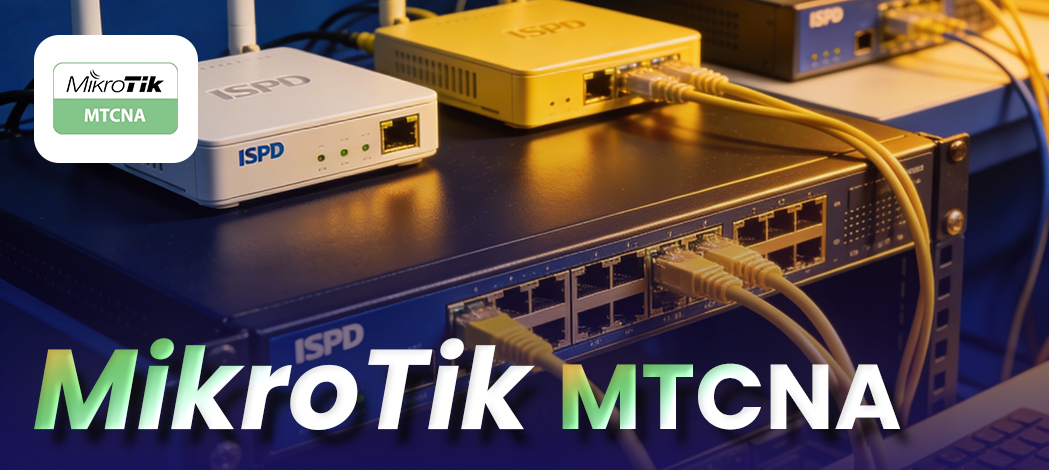
Advance your networking career with expert-led MikroTik MTCNA training. Gain hands-on experience with 24/7 access to real MikroTik labs, guided by certified instructors following the official MikroTik curriculum. Our program includes career guidance and dedicated placement assistance to support your professional growth. Whether you're a beginner or an experienced IT professional, our MTCNA course is designed to build practical skills in MikroTik RouterOS and network management.
 

Course Curriculum

  • Individuals working with ISP or enterprise networks using MikroTik hardware.
  • IT professionals seeking specialization in MikroTik networking.
  • Network support technicians and system administrators.
  • Entry-level network engineers and IT graduates.

  • Strong interest in learning MikroTik RouterOS
  • Hands-on experience with computers or networking devices
  • Familiarity with Windows/Linux systems
  • Basic knowledge of IP addressing & networking concepts

  • ISPs: Network Engineer, NOC Technician
  • IT Companies: Network Support, Systems Administrator
  • Enterprise IT Departments: Network Administrator
  • Data Centers: Network Operations
  • Telecom Companies: Network Engineer
  • Network Security Firms: Security Support

1. Introduction to MikroTik RouterOS & Hardware

2. Router Configuration Using WinBox & WebFig

3. IP Addressing & Subnetting

4. Routing Fundamentals

5. DHCP Server & Client Setup

6. VLAN & Layer 2 Switching

7. Wireless Network Deployment & Security

8. NAT & Firewall Rules

9. Network Monitoring & Diagnostics

10. User Management & Device Maintenance

11. Advanced Topics (Optional/Extension)

  • Hotspot configuration and user management
  • Basic VPN setup (site-to-site or client-to-site)
  • Simple Queue for bandwidth management
  • Maintaining device health and security updates
  • System backup and restore
  • Creating and managing users and permissions
  • Logging, alerts, and performance analysis
  • Interface and bandwidth monitoring
  • Using MikroTik monitoring tools (Torch, Ping, Traceroute)
  • Basic security policies and access control
  • Firewall filter rules and packet inspection
  • Configuring Source NAT, Destination NAT
  • SSID setup, frequency planning, and troubleshooting
  • Wireless security protocols (WPA, WPA2, WPA3)
  • Configuring MikroTik wireless interfaces
  • Layer 2 interface management
  • Bridge configuration
  • VLAN creation and management
  • Troubleshooting DHCP issues
  • DHCP options and lease management
  • Configuring DHCP server and client
  • Route monitoring and troubleshooting
  • Dynamic routing overview (OSPF, RIP, BGP basics)
  • Static routing configuration
  • Configuring IP addresses on interfaces
  • Subnetting and network planning
  • IPv4 and IPv6 addressing basics
  • Backup, restore, and firmware upgrades
  • Basic router setup and system configuration
  • Accessing devices via WinBox and WebFig
  • RouterOS architecture and licensing
  • Understanding device models and capabilities
  • Overview of MikroTik devices and RouterOS features

Completing MTCNA opens opportunities in networking and IT infrastructure, including:

  • Wireless Network Administrator
  • Junior Network Engineer
  • IT Infrastructure Engineer
  • System & Network Administrator
  • ISP Network Technician
  • NOC Engineer (Network Operations Center)
  • Network Support Engineer

  • RouterOS installation and initial configuration using WinBox and WebFig
  • IP addressing, subnetting, and routing configuration
  • DHCP server and client setup
  • VLAN creation and management
  • Wireless network deployment and security configuration
  • Firewall rules and NAT implementation
  • Network monitoring and troubleshooting
  • User management and device maintenance
  • Hands-on practice with MikroTik diagnostic tools
  • Configuration of real-world ISP and enterprise network scenarios
  • Simulation of network issues and problem-solving exercises
  • Security configuration for basic network protection
  • End-to-end network setup and verification

  • Exam Code: MTCNA
  • Duration: 90 minutes
  • Format: Multiple-choice and scenario-based questions
  • Exam Location: Authorized MikroTik Testing Centers worldwide
  • Exam Fee: $150 USD (may vary by testing center)
  • Certification: MikroTik Certified Network Associate (MTCNA)
  • Purpose: Validates your ability to configure, manage, and troubleshoot MikroTik RouterOS and network devices, demonstrating essential networking skills for ISP and enterprise environments.
  • Preparation: Hands-on labs, practical exercises, and official MikroTik curriculum coverage.
img

Mark Jukarberg

UX Design Lead

(4.8 Ratings)

Dorem ipsum dolor sit amet, consectetur adipiscing elit, sed do eiusmod tempor incididunt ut labore et dolore magna aliqua Quis ipsum suspendisse ultrices gravida. Risus commodo viverra maecenas accumsan.

Reviews

4.8
12 Ratings
5
2
4
1
3
0
2
0
1
0
img
Jura Hujaor 2 Days ago

The best LMS Design System

Maximus ligula eleifend id nisl quis interdum. Sed malesuada tortor non turpis semper bibendum nisi porta, malesuada risus nonerviverra dolor. Vestibulum ante ipsum primis in faucibus.