Preloader
  • Follow Us On :
Request Demo Class Join Free Seminar
img
Course includes:
  • img Level Medium
  • img Hours 16
  • img Total Class 8
  • img Certifications Yes
Share this course:

Optical Line Terminal

  • 12 Jan 2026
  • ___ Students

COURSE OVERVIEW

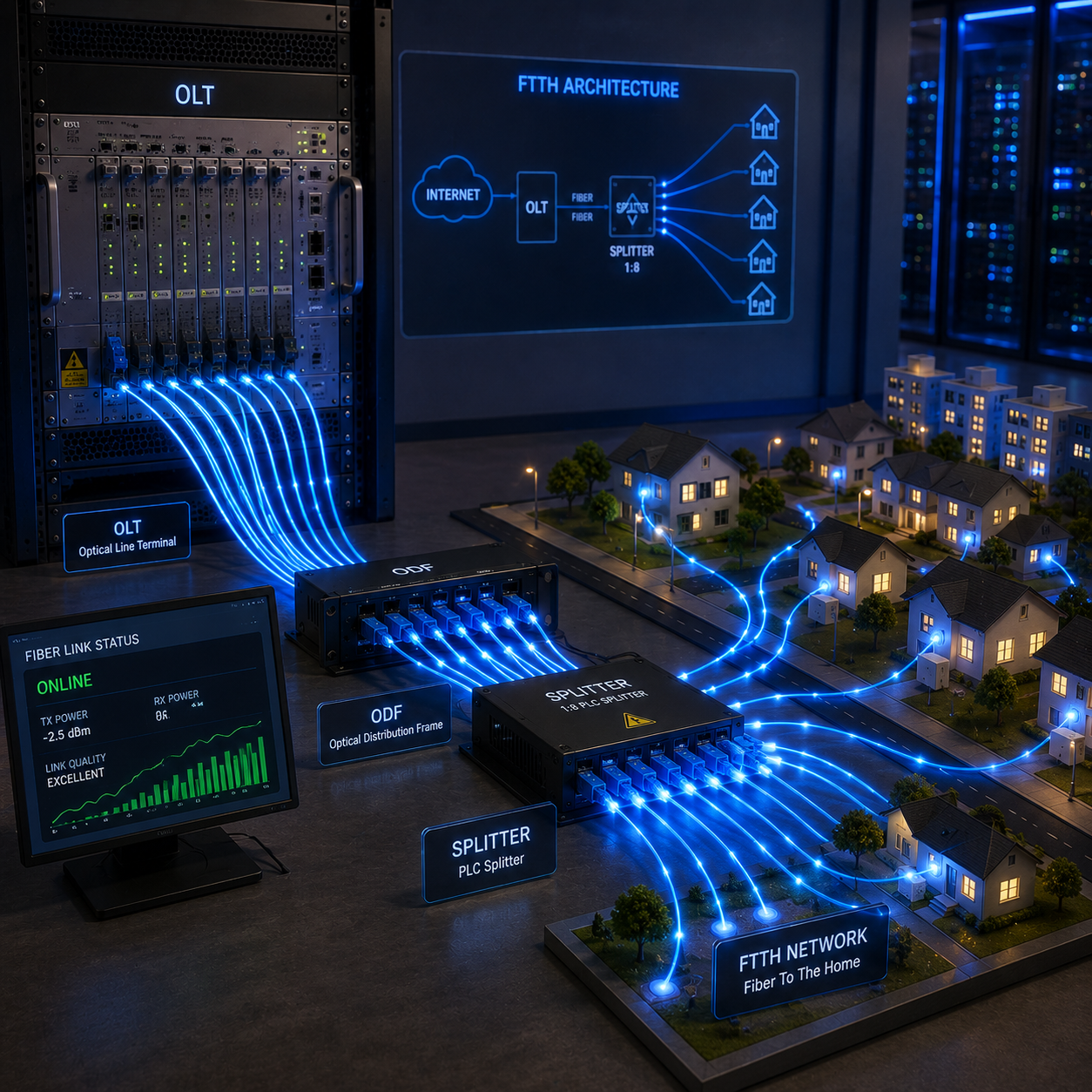
Elevate your expertise in fiber optic networking with our in-depth Optical Line Terminal (OLT) training. Designed for networking professionals aiming to master passive optical networks (PON) technology, our course delivers practical skills and theoretical knowledge essential for managing and deploying OLT devices in modern telecom networks.

Course Curriculum

Students and fresh graduates aiming for a career in telecom networking

  • IT Professionals seeking to expand their skill set in optical networking
  • ISP Technical Staff responsible for managing PON infrastructure
  • Telecom Professionals involved in broadband and fiber network deployment
  • Network Engineers and Technicians specializing in fiber optic technologies

Interest in telecommunication technologies and broadband services

  • Familiarity with fiber optic concepts is helpful but not mandatory
  • Basic understanding of networking fundamentals

  • Opportunities in broadband deployment and maintenance
  • Roles in network operations centers (NOC)
  • Work in telecom companies, ISPs, or fiber network service providers

  • Introduction to Passive Optical Networks (PON)
  • OLT Architecture and Components
  • OLT Hardware Overview and Ports
  • OLT Software Configuration
  • ONT/ONU Registration and Management
  • VLAN Configuration and Service Setup
  • Internet, VoIP, and IPTV Service Deployment
  • Bandwidth Allocation and QoS Implementation
  • Security Features on OLT Devices
  • Monitoring Network Performance
  • Troubleshooting OLT and PON Networks
  • Firmware Upgrade and Maintenance
  • CLI and GUI Management Tools
  • Redundancy and Failover Mechanisms
  • PON Network Design Principles
  • Traffic Management and Optimization
  • Access Control and Authentication
  • Fault Diagnosis and Resolution
  • Integration with ISP Backhaul Networks
  • Best Practices for PON Deployment

  • Optical Network Specialist
  • NOC Engineer
  • Telecom Field Engineer
  • Broadband Network Administrator
  • OLT Technician
  • Fiber Network Engineer

  • OLT Hardware Introduction and Port Familiarization
  • Initial OLT Setup and Console Access
  • IP Configuration and Firmware Upgrades
  • ONT/ONU Registration and Authentication
  • VLAN Creation and Service Assignment
  • Internet Service Provisioning
  • VoIP Service Setup and Testing
  • IPTV Service Deployment
  • Bandwidth Profile Configuration
  • Quality of Service (QoS) Implementation
  • Traffic Monitoring and Performance Analysis
  • Security Configuration on OLT Devices
  • Access Control and Authentication Testing
  • Troubleshooting OLT Connectivity Issues
  • Troubleshooting ONU/ONT Registration Problems
  • CLI and GUI Hands-On Management
  • Network Monitoring with Logs and Alerts
  • Redundancy and Failover Configuration
  • Fault Detection and Resolution Scenarios
  • Real-Time PON Network Troubleshoot Exercises

Upon completion, students are prepared for vendor and professional certifications: 

  • Exam Code: OLT-101 (or as per authorized training center)
  • Certification Awarded: Optical Line Terminal (OLT) Certified Specialist
  • Duration: 90 minutes
  • Format: Multiple-choice questions, scenario-based questions, and practical lab simulations
  • Exam Location: Authorized OLT or telecom training centers worldwide
  • Passing Criteria: Typically 70% or above (check with your training provider
img

Mark Jukarberg

UX Design Lead

(4.8 Ratings)

Dorem ipsum dolor sit amet, consectetur adipiscing elit, sed do eiusmod tempor incididunt ut labore et dolore magna aliqua Quis ipsum suspendisse ultrices gravida. Risus commodo viverra maecenas accumsan.

Reviews

4.8
12 Ratings
5
2
4
1
3
0
2
0
1
0
img
Jura Hujaor 2 Days ago

The best LMS Design System

Maximus ligula eleifend id nisl quis interdum. Sed malesuada tortor non turpis semper bibendum nisi porta, malesuada risus nonerviverra dolor. Vestibulum ante ipsum primis in faucibus.