Preloader
  • Follow Us On :
Request Demo Class Join Free Seminar
img
Course includes:
  • img Level Medium
  • img Hours 48
  • img Total Class 24
  • img Certifications Yes
Share this course:

Cisco Certified Network Associate-CCNA (200-301)

  • 24 Feb 2026
  • ___ Students

COURSE OVERVIEW

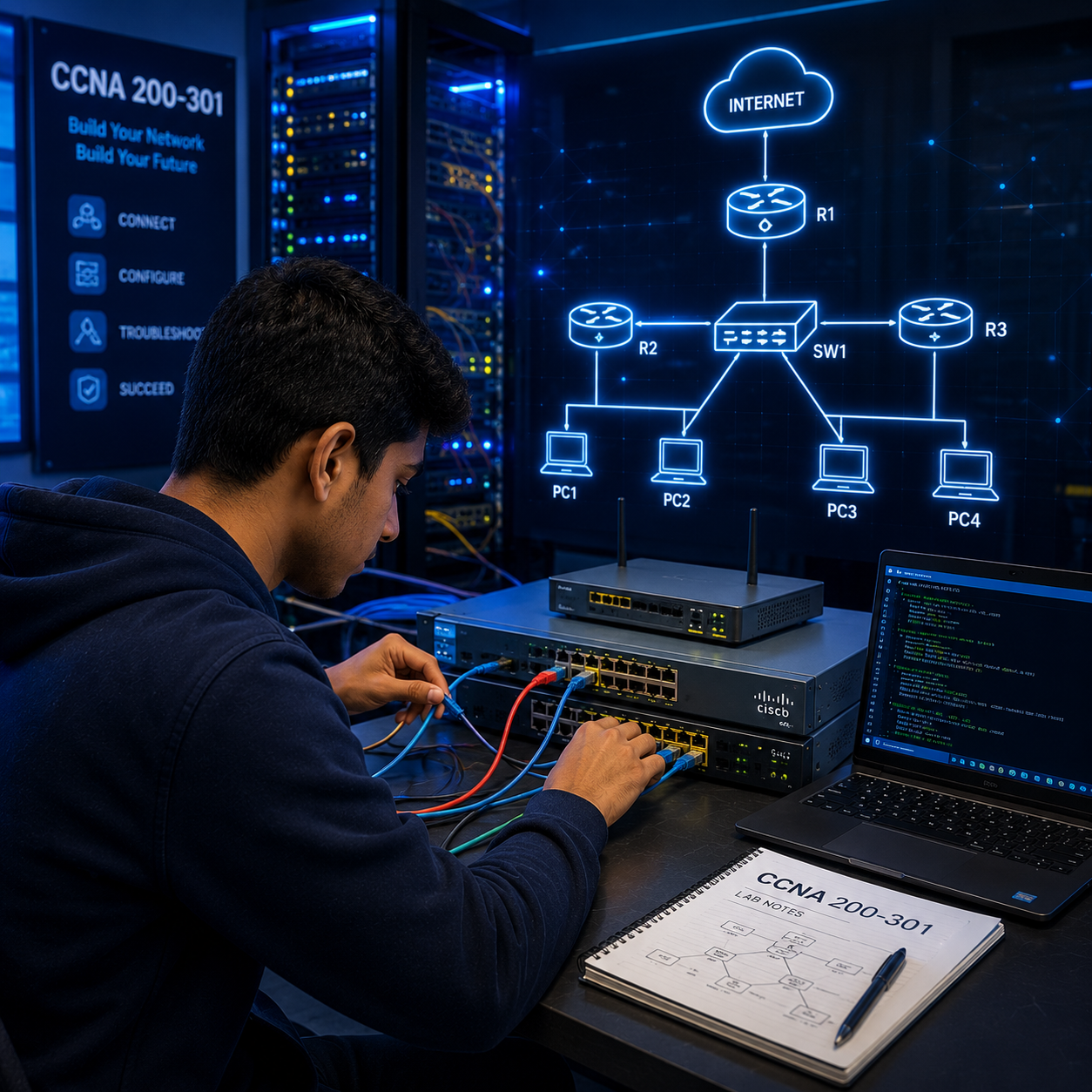
Cisco CCNA Course CCNA Training Jumpstart your IT career with our Cisco CCNA Training! Get expert-led sessions, 24/7 lab access, and hands-on practice. Build real-world skills, master troubleshooting, and prepare confidently for certification. Enroll now and unlock your networking potential! WHY CHOOSE THE CCNA COURSE? Cisco is a global leader in IT and networking, revolutionizing how people connect, communicate, and collaborate. Its products and solutions are widely used across small businesses to large enterprises. In Worldwide, Cisco dominates the network infrastructure market, leading in Ethernet switches, routers, and WLAN-creating strong career opportunities for networking professionals. CCNA certification validates essential skills to install, configure, operate, and troubleshoot basic IPv4 and IPv6 networks. The CCNA course also covers networking fundamentals, IP services, security, automation, and programmability-providing a solid foundation for a successful career in the IT industry.

Course Curriculum


Aspiring network engineers passionate about earning Cisco CCNA certification.

  • Students aiming to build a career in networking
  • IT professionals looking to upgrade their skills in network configuration and management.
  • Network administrators, support staff, and help desk technicians involved in day-to-day network operations.
  • Technicians responsible for installing, operating, and verifying Cisco-based networks.


There are no formal prerequisites for the global CCNA certification exam. However, before enrolling in the CCNA course or training, it is recommended that candidates have:

  • Basic navigation skills in a PC operating system
  • A fundamental understanding of IP addressing
  • Familiarity with internet usage
  • Basic computer literacy

The 200-301 Cisco CCNA Course/Training equips you with the skills and knowledge needed to pursue various roles in the networking field, including:

  • Network Support Technician
  • Help Desk Technician
  • Entry-Level Network Engineer
  • Network Support Engineer
  • Network Operations Center (NOC) Engineer
  • Network Engineer
  • Network Administrator
  • Network Associate

LearnerupIT Course Curriculum is aligned with the Cisco 200-301 CCNA Certification exam blueprint. Upon completion, you will have comprehensive knowledge in:

  • Network fundamentals, network access, IP connectivity, IP services
  • Security fundamentals, automation, and programmability
  • Types of networks (LAN/WAN), IP addressing and subnetting, OSI and TCP/IP models
  • Configuration and troubleshooting of switches and routers, VLANs, routing protocols (EIGRP, OSPF)
  • Ethernet, network utilities (ping, tracert, arp), NAT, ACLs, and more

The training prepares you to confidently attempt the CCNA Certification Exam. Key areas covered include:

  • Understanding and managing networking fundamentals, access, IP connectivity, and services
  • Installing, configuring, operating, administering, and troubleshooting basic IPv4 and IPv6 business networks
  • Hands-on practical training and lab sessions
  • Roles and functions of network components like Layer 2/3 switches, next-gen firewalls, intrusion prevention systems, access points, Cisco DNA Center, and wireless LAN controllers
  • Network topologies including Two-Tier, Three-Tier, Spine-Leaf, WAN, SOHO, on-premise, and cloud infrastructures
  • Physical interfaces and cabling types (single-mode fiber, copper, multi-mode fiber), and troubleshooting interface issues
  • TCP/UDP protocols, IPv4/IPv6 addressing and subnetting, private IPv4 addressing, and wireless networking principles
  • Virtualization fundamentals such as server virtualization, containers, and VRFs
  • VLAN configuration, interswitch connectivity, Layer 2 discovery protocols, EtherChannel (LACP), and Rapid PVST+ spanning tree protocol
  • Cisco wireless architectures and AP modes, WLAN infrastructure, WLC management, and basic wireless LAN GUI configuration
  • Basic router configuration, routing tables, static and OSPFv2 routing, first-hop redundancy protocols
  • NAT, NTP, DHCP, DNS, SNMP, syslog, QoS forwarding, remote device access (SSH, Telnet), and file transfer protocols (TFTP/FTP)
  • Security concepts covering threats, vulnerabilities, exploits, access control, VPNs (IPsec), ACLs, DHCP snooping, dynamic ARP inspection, port security, and AAA
  • Wireless security protocols (WPA, WPA2, WPA3)
  • Network automation, software-defined networking, controller-based networking, overlay and underlay networks, and Cisco DNA Center device management
  • REST-based APIs fundamentals (CRUD operations, HTTP methods, data encoding) and Northbound/Southbound APIs

  • Fiber Optic / OLT Technician
  • ISP Technical Support Specialist
  • Junior Network Administrator
  • Network Support Engineer
  • NOC Engineer / NOC Administrator
  • Infrastructure / NOC Manager
  • Network Security Engineer
  • Senior Network Engineer

CCNA TRAINING: LAB CURRICULUM OVERVIEW

  • Implement Device Hardening
  • Configure and Verify Port Security
  • Secure Device Administrative Access
  • Enable and Limit Remote Access Connectivity
  • Secure Console and Remote Access
  • Configure WLAN Using Wi-Fi Protected Access 2 (WPA2) Pre-Shared Key (PSK) Using the GUI
  • Upgrade the Cisco IOS Image
  • Create the Cisco IOS Image Backup
  • Configure System Message Logging
  • Configure and Verify NTP
  • Explore the Cisco DNA Center
  • Explore Management Options
  • Define a Remote Access Dial-In User Service (RADIUS) Server
  • Configure a WLAN
  • Configure a DHCP Scope
  • Configure a Dynamic (VLAN) Interface
  • Monitor the WLC
  • Log into the WLC
  • Using logging host command on a router for capturing log messages on Syslog server
  • Enabling SNMP on router
  • Configuring and Verifying NTP server on router
  • Verifying CDP and LLDP Status
  • Configuring CDP and LLDP on Switches
  • Changing HSRP group name by standby command
  • Using the track object in HSRP to track the reachability to the IP
  • Creating a track object for tracking the SLA, interface and route
  • Configuring and verifying ICMP echo-based IP SLA.
  • Tracking and Interface using standby track command
  • Changing HSRP priority on interface
  • Enabling HSRP Preempt
  • Configuring HSRP
  • Clearing older translations
  • Debugging the NAT translations
  • Verifying NAT
  • Configuring Port Address Translation
  • Configuring Dynamic NAT for a range of private IP addresses
  • Configuring Static NAT on a router
  • Defining Inside and Outside interface for NAT
  • Configuring IPv6 access-list and applying on proper interface.
  • Configuring and applying named ACL on router
  • Blocking services like HTTP, HTTPs, FTP, DNS, DHCP etc with extended ACL
  • Editing existing ACL using ip access-list extended command
  • Verifying the reachability after applying extended ACL
  • Applying extended Access Control List on router interface
  • Creating and defining permit/deny statements in an extended ACL on router
  • Allowing specific IPs to remotely access the router by using ACL
  • Editing existing ACL using ip access-list standard command
  • Verifying the reachability after applying standard ACL
  • Applying Standard Access Control List on router interface
  • Creating and defining permit/deny statements in a standard ACL
  • Configuring BPDU Guard feature on switches
  • Performing err-disable recovery of switchports
  • Configuring and verifying Port-Security on switchports
  • Configuring spanning-tree portfast feature for rapid convergence
  • Manipulating Root Port / Designated port election
  • Manipulating Root Bridge election process
  • Changing Spanning-Tree mode using spanning-tree mode command
  • Verifying Spanning Tree Protocol operation for loop avoidance
  • Configuring Inter-VLAN Routing using Layer 3 Switch
  • Configuring Inter-VLAN Routing using Router
  • Turning off trunk negotiation by switchport nonegotiate command
  • Using DTP for trunking by using switchport mode dynamic auto/desirable command
  • Changing Native VLAN and removing a VLAN from allowed VLAN list on trunk ports
  • Verifying trunk ports by show interfaces trunk command
  • Defining trunk encapsulation protocol; Dot1q, ISL or negotiate
  • Configuring access and trunk ports on switches
  • Verifying VLAN information by show vlan brief command
  • Assigning VLAN membership to switchports
  • Creating and renaming Access and Voice VLANs on a switch
  • Assign IP address on VLAN interface to take backup and recover the configuration and IOS.
  • Changing the aging time of mac address table
  • Adding and Clearing an entry from Mac Address-table
  • Mac Address-table verification
  • Ping and Traceroute to check the reachability
  • Verifying the newly installed Static routes by show ipv6 route command
  • Configuring IPv6 Static Default Route on Router
  • Changing AD Value of an IPv6 Static Route – Path Preference; Static Floating Route
  • Configuring IPv6 Static Routing on three routers
  • Configuring IPv6 Static Host Route on Router
  • Configuring IPv6 Static Routing on two routers using Next Hop IP Address
  • Using show ip ospf border-routers command to verify ABRs and ASBRs
  • Configuring Multi Area OSPF on router using network command
  • Shutting down the OSPF process by shutdown command.
  • Changing router-id for OSPF process using router-id command
  • Using passive-interface command to suppress update information
  • Controlling the forwarding of packets over multiple paths using maximum-paths
  • Defining an administrative distance value using distance command
  • Flooding default route information using default-information
  • Changing reference-bandwidth for cost calculation
  • Debugging the OSPF adjacency
  • Shutting down the OSPF process on interface
  • Changing OSPF Priority on interface
  • Changing OSPF network type
  • Use of ip ospf mtu-ignore command on interface
  • Changing Interface Cost
  • Changing Hello and Dead Interval on interfaces
  • Verifying an OSPF process on interfaces in detail
  • Verification of database table
  • Verification of neighbor table
  • Verification of OSPF routing table
  • Configuring Single Area OSPF
  • Configuring Static Discard Route on Router
  • Configuring Static Default Route on Router
  • Changing AD Value of a Static Route
  • Configuring Static Routing on three routers
  • Configuring Static Host Route on Router
  • Configuring Static Routing on two routers
  • Restoration of IOS on a router
  • Backup of IOS on a router
  • Performing Password Recovery on a router
  • Backup and Restoration of Configuration
  • Configuring HTTP services on a Router
  • Configuring DNS
  • Configuring DHCP
  • Configuring SSH
  • Configuring Telnet
  • Configuring an IPv4 address on a Router
  • Configuring various Passwords on devices
  • Use of copy, write, erase and delete command
  • Use of various show Commands
  • IOS Modes on devices
  • Taking console of Router
  • Cisco Command-Line Interface (CLI)

Exam Location: Examination at Pearson Vue Centers.

Available languages: English, Japanese

Exam Duration: 120 minutes

Exam Code: 200-301 CCNA

Certification Name: CCNA -Cisco Certified Network Associate

img

Mark Jukarberg

UX Design Lead

(4.8 Ratings)

Dorem ipsum dolor sit amet, consectetur adipiscing elit, sed do eiusmod tempor incididunt ut labore et dolore magna aliqua Quis ipsum suspendisse ultrices gravida. Risus commodo viverra maecenas accumsan.

Reviews

4.8
12 Ratings
5
2
4
1
3
0
2
0
1
0
img
Jura Hujaor 2 Days ago

The best LMS Design System

Maximus ligula eleifend id nisl quis interdum. Sed malesuada tortor non turpis semper bibendum nisi porta, malesuada risus nonerviverra dolor. Vestibulum ante ipsum primis in faucibus.